
Program KNX bus with ETS through LM
Example: Program KNX bus with ETS through LM
KNX specific configuration in Logic Machine
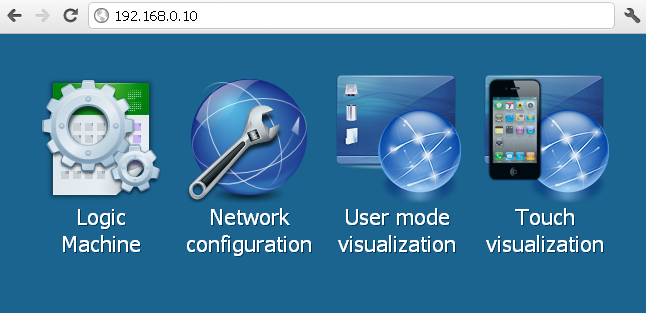
- Connect to Logic Machine (Logic Machine) with default access parameters (IP: 192.168.0.10; login/password: admin/admin)
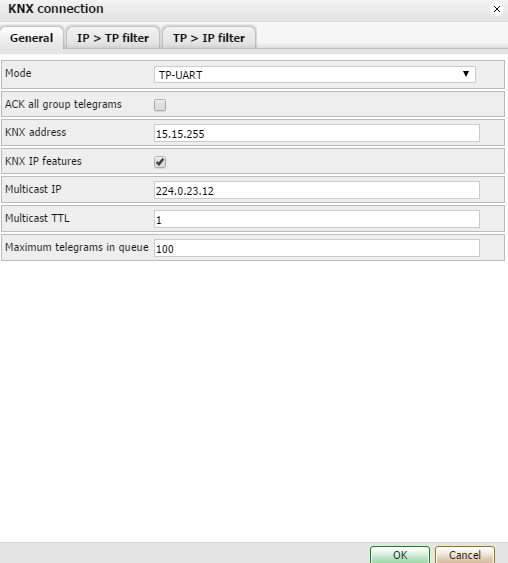
- KNX specific configuration is located in System –> KNX connection window. Set KNX address so it’s not overlapping with already existing address, default one is 15.15.255.
ETS configuration to use Logic Machine for programming devices on KNX/EIB bus
- To use Logic Machine with KNXnet/IP functionality, the device should be added into ETS Connection Manager.
- Go to Extras –> Options –> Communication –> Configure interfaces
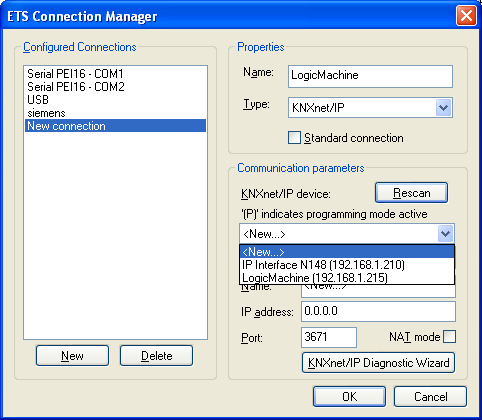
- Put some freely chosen Name for the connection
- Chose Type = KNXnet/IP
- Press Rescan button and then choose from the drop down menu found Logic Machine
- Press OK
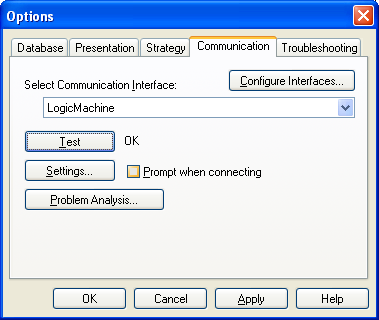
- Back in Options –> Communication window select newly created interface as Communication Interface from the drop-down menu.
- To test the communication with ETS, press Test button
- Make sure that bus status is Online – press online button in ETS.
Note!
Using ETS connection type KNXnet/IP LM2 supports multiple KNX/EIB bus connections in parallel.